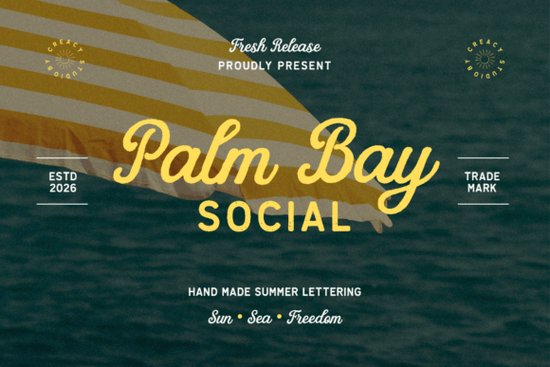
If you’ve been searching for a font that feels like sunshine on your skin and salt in the air, Palm Bay Social might be exactly what your next project needs. It’s not just another script it’s a nostalgic duo that blends retro charm with beachy ease. Whether you’re designing t-shirts for summer markets, social media graphics for coastal brands, or even wedding invites with a laid-back vibe, this pair brings warmth and personality without trying too hard.
What makes Palm Bay Social different from other script fonts?
Most script fonts lean either too formal or too casual. Palm Bay Social finds a sweet spot it’s relaxed but still polished. The main script has gentle curves that feel hand-drawn, like something you’d see on an old postcard from a seaside resort. Paired with its companion sans serif (which has subtle texture and slight distressing), you get contrast without chaos. That balance is rare.
Compare it to something like Lovely Font, which leans more romantic, or Simple Planner, built for clean organization Palm Bay Social lives in that golden hour between elegance and ease. It doesn’t shout. It invites.
When should I use this font duo?
Here’s where it shines:
- Print-on-demand designs Think beach towels, tote bags, or vintage-style tees. The distressed sans serif adds grit; the script adds soul.
- Social media templates Especially for cafes, surf shops, or travel influencers. The combo reads well at small sizes and pops in stories or carousels.
- Event branding Summer festivals, coastal weddings, pool parties. It sets a mood without needing extra graphics.
- Vintage posters or packaging The texture in the sans gives it that “found in a thrift store” authenticity.
It’s also surprisingly versatile for non-beach themes. Try it for coffee shop menus, boutique labels, or even rustic farm-to-table branding. The warmth translates.
How does it pair with other fonts I already own?
Because Palm Bay Social includes both a script and a textured sans, you rarely need to pull in a third font. But if you do, stick to clean, minimalist typefaces. Avoid anything overly ornate let the script be the star.
If you’re looking for similar vibes, check out Beach Waves Duo for more aquatic energy, or Santa Catalina if you want something slightly more rugged. For pure romance, Loving Font is softer and more intimate great for personal stationery.
Is it beginner-friendly?
Absolutely. You don’t need advanced design skills to make it work. The weights are balanced, so even basic layouts look intentional. No kerning nightmares here. If you’re using Canva, Photoshop, or Illustrator, installation is straightforward and most platforms handle OpenType features automatically.
One tip: Use the script for headlines or short phrases. Let the sans handle body text or supporting info. That way, you keep readability high while letting the personality shine through.
What file formats come with the download?
You’ll get TTF and OTF files for both fonts, plus webfonts (WOFF/WOFF2) if you’re building sites. Bonus files often include alternates, ligatures, and multilingual support always check the product page for specifics. Creative Fabrica usually bundles extras like SVG versions for cutting machines, which crafters will appreciate.
Any hidden tricks or styling tips?
Yes and they’re simple:
- Layer them. Place the script slightly over the sans in a contrasting color for depth.
- Add subtle grain. A light paper texture behind your text enhances the vintage feel.
- Use sparingly. One script headline per layout is plenty. More than that gets noisy.
- Try all-caps with the sans. It holds up beautifully and feels bold without being harsh.
And if you’re making merch? Test print first. Some distressed edges can get lost on dark fabrics a white underbase helps.
Where else can I find fonts like this?
Creative Fabrica’s script section is full of gems. Beyond the ones mentioned earlier, browse by “vintage,” “handwritten,” or “summer” tags. Sort by newest or most popular their algorithm surfaces surprisingly relevant matches. Don’t forget to filter by license type if you’re selling products.
Remember: Palm Bay Social isn’t trying to be everything. It’s focused. That’s why it works so well when the mood is right.
Quick checklist before you start:
- Install both fonts (script + sans) you’ll want them together.
- Use script for impact, sans for clarity.
- Avoid overcrowding let the letters breathe.
- Pair with natural textures: sand, linen, faded paper.
- Test contrast especially on colored backgrounds.
Start small. Try it on a single Instagram story or a mockup tee. See how it feels. Sometimes the best tools aren’t the flashiest they’re the ones that quietly make your work feel more like you.
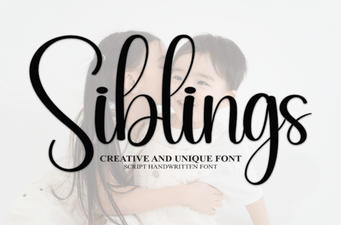 Sibling Font Pairings for Creative Projects
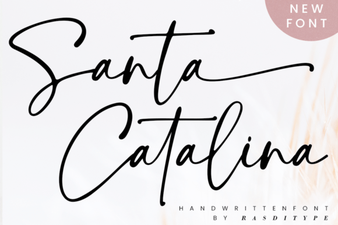 Santa Catalina Font Inspiration & Projects
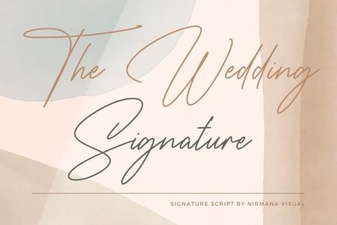 Craft Your Wedding Style with the Signature Font
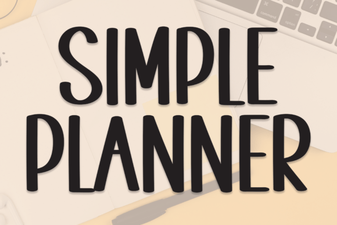 Fresh Fonts for Your Simple Planner Designs
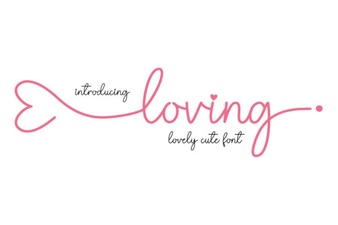 Finding Your Perfect Loving Font Pairing
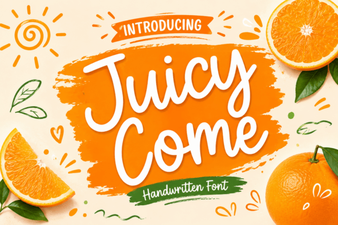 Juicy Come Font: Creative Typography Projects & Ideas