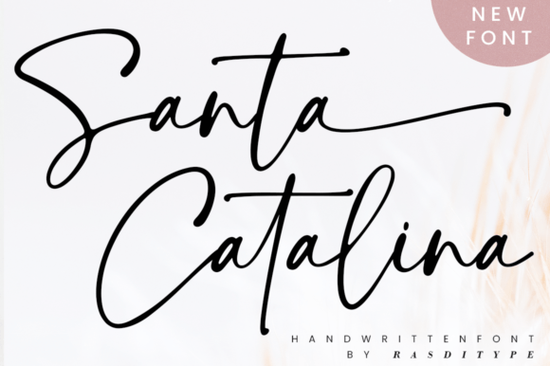
If you’re looking for a handwritten font that feels personal, elegant, and just a little bit playful, Santa Catalina Font is worth a closer look. It’s the kind of typeface that works as well on a boutique logo as it does on a wedding invitation or Instagram graphic. The letterforms have personality without being overwhelming smooth curves, gentle swashes, and enough variation to keep things interesting.
What makes Santa Catalina especially handy is that it’s PUA encoded. That means all those extra glyphs, alternate characters, and decorative tails are easy to access no digging through character maps or wrestling with OpenType features. Whether you’re using Canva, Adobe Illustrator, or even Silhouette Studio, you’ll find everything you need built right in.
What kinds of projects is Santa Catalina best for?
This font shines when you want something that feels handcrafted but still clean. Think:
- Wedding stationery place cards, menus, save-the-dates
- Small business branding logos, packaging, social media headers
- Photography overlays subtle watermarks or album titles
- Print-on-demand products mugs, tote bags, journals
- Modern websites hero text, buttons, or section headers
It pairs beautifully with minimalist sans-serifs or clean serif fonts. If you’ve used fonts like Chamomile or Juicy Come before, you’ll appreciate how Santa Catalina sits comfortably in that same sweet spot stylish but not fussy, detailed but still readable.
How does it compare to other script fonts?
Not all handwritten fonts are created equal. Some feel too stiff, others too chaotic. Santa Catalina finds a middle ground it has rhythm and flow, but each letterform remains distinct. Unlike Crayons Bright, which leans into childlike energy, or Beach Waves Duo, which gives off coastal vibes, Santa Catalina is more versatile. It doesn’t lock you into one mood or theme.
And compared to something like Palm Bay Social, which is great for casual, breezy designs, Santa Catalina brings a touch more elegance. That doesn’t mean it’s formal just that it can dress up or down depending on your project.
Can I use this for commercial purposes?
Yes. Like most Creative Fabrica fonts, Santa Catalina comes with a commercial license. That means you can use it on products you sell whether that’s Etsy printables, custom t-shirts, or client branding work. Always double-check the specific license terms after purchase, but generally, you’re covered for small business and POD use.
One thing to note: if you’re embedding the font in an app, game, or software product, you may need an extended license. But for 95% of crafters and designers, the standard license will do just fine.
Any tips for getting the most out of this font?
A few small tricks go a long way:
- Use sparingly. Script fonts like this work best as accents headlines, names, short phrases. Avoid full paragraphs unless you’re going for a very specific artistic effect.
- Play with tracking. A little extra space between letters can help the swashes breathe and prevent crowding.
- Pair with simple fonts. Let Santa Catalina be the star. Pair it with something neutral like Montserrat, Lato, or even a classic Times New Roman for contrast.
- Test readability at small sizes. While beautiful, some of the thinner strokes may disappear on tiny prints or low-res screens. Always preview before finalizing.
Also, don’t forget to explore the alternates. Many of the lowercase letters have two or three versions. Swapping in an alternate “a” or “y” can completely change the feel of a word more casual, more dramatic, more connected. It’s like having multiple fonts in one.
Where should I start if I’m new to using script fonts?
If you’re just dipping your toes into script fonts, Santa Catalina is a friendly place to begin. It’s forgiving, well-spaced, and includes clear instructions (and sometimes video tutorials) from the designer. Start with something simple maybe a quote graphic or a name tag and let yourself get comfortable with how the letters connect and flow.
You might also want to try pairing it with a simpler script first, like Chamomile, to see how different weights and styles interact. Then branch out into bolder pairings once you’re confident.
Next step: Download Santa Catalina and open it in your favorite design tool. Type out your name or a short phrase. Try switching between regular and swash versions. See how it feels. Sometimes the best way to know if a font is right for you is to just play with it for five minutes.
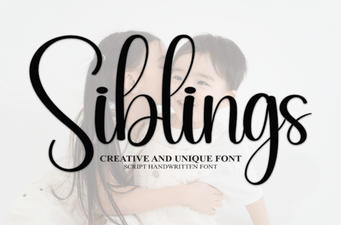 Sibling Font Pairings for Creative Projects
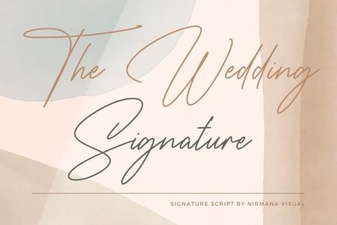 Craft Your Wedding Style with the Signature Font
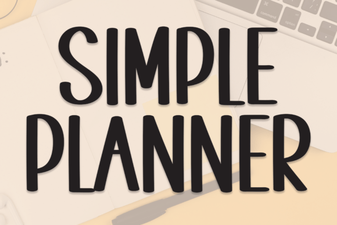 Fresh Fonts for Your Simple Planner Designs
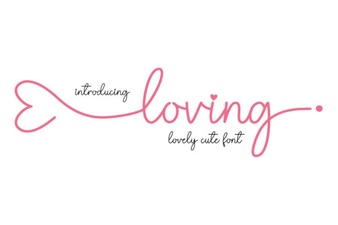 Finding Your Perfect Loving Font Pairing
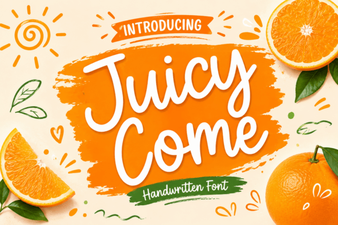 Juicy Come Font: Creative Typography Projects & Ideas
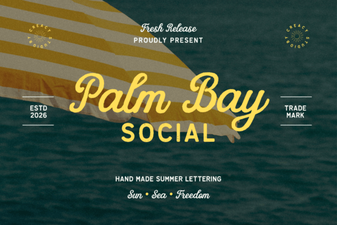 Palm Bay Font for Social Media Design Projects