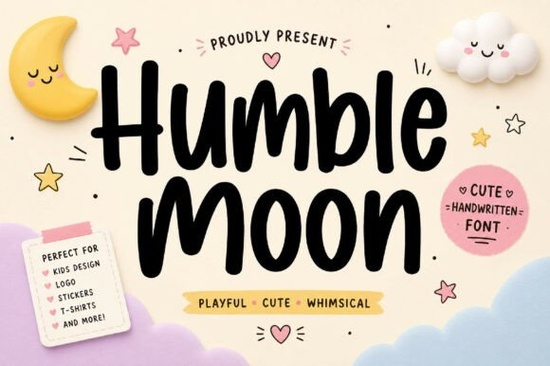
If you’re looking for a handwritten font that feels bold but still warm and approachable, Humble Moon might be exactly what your next project needs. It’s got smooth, playful strokes that stand out without feeling overwhelming perfect for everything from logo mockups to kids’ apparel or social media banners. Whether you’re designing merch, packaging, or just experimenting with quotes for Instagram, this font brings personality without the clutter.
What makes it especially useful is how well it balances modern style with that hand-crafted charm. You don’t need to pair it with ten other fonts to make it work often, it shines on its own. And if you’ve ever tried to find a script font that doesn’t look too formal or too messy, you’ll appreciate how Humble Moon walks that line effortlessly.
What kinds of projects does Humble Moon work best for?
This isn’t a font you’d use for body text in a novel, but that’s not its job. It’s built to grab attention and it does that really well. Here are some places where it feels right at home:
- Logo design – Especially for brands that want to feel friendly, creative, or youthful.
- T-shirt and tote bag prints – The bold weight holds up even when scaled down or printed on fabric.
- Social media graphics – Quotes, announcements, or promo headers pop with its energetic curves.
- Kids’ products – Think birthday invites, classroom decor, or baby shower favors.
- Packaging labels – Coffee bags, soap wraps, boutique candles anything that benefits from a personal touch.
If you like how Humble Moon looks but want to explore similar styles, check out Siblings for something slightly more structured, or Enchanted Bride if you’re leaning into elegance. For a bolder, chunkier alternative, Chunky delivers serious presence, while Palm Bay Social adds a breezy, coastal vibe.
How does it pair with other fonts?
Humble Moon plays nicely with clean sans-serifs think fonts like Montserrat, Poppins, or even basic system fonts like Arial or Helvetica. The contrast between its organic flow and a simple, geometric typeface creates balance. You don’t need another script font next to it unless you’re going for layered, maximalist energy (which can work, but sparingly).
One trick: if you’re using it for headlines or titles, keep the supporting text minimal. Let Humble Moon do the talking, then let the rest of your layout breathe. That’s where it really shines as the focal point, not part of the background noise.
Is it easy to install and use?
Yes. Once you download it from Humble Moon, you’ll get standard OTF and TTF files. That means it works everywhere Canva, Adobe apps, Silhouette Studio, Cricut Design Space, Affinity, Procreate, and even basic word processors. No special software required.
If you’re new to installing fonts, most operating systems let you double-click the file and hit “Install.” Done. Then it shows up in your font menu like any other. No plugins, no fuss.
Does it support multiple languages or special characters?
Humble Moon includes extended Latin characters, so it covers most Western European languages think French, Spanish, German, Portuguese, etc. You’ll also find common punctuation, numerals, and ligatures built in to keep letter combinations flowing naturally. If you’re working with non-Latin scripts (like Cyrillic or Greek), this one won’t cover that but for everyday English and European language projects, you’re set.
It also comes with stylistic alternates in some versions, which means you can switch up certain letters for a more custom look. Not every app supports OpenType features, but if yours does (like Illustrator or InDesign), you can toggle those in the character panel.
Who should skip this font?
If you need something ultra-formal like for legal documents, academic journals, or corporate annual reports this isn’t your pick. Also, if your brand voice is minimalist, rigid, or strictly corporate, Humble Moon’s playful bounce might feel off-brand.
And while it’s great for display use, avoid stretching it into long paragraphs. Script fonts like this are meant to be seen, not read in bulk. Save it for moments where you want to inject warmth, movement, or a little whimsy.
Quick checklist before you buy:
- Check your project type Is it display-focused? Social? Merch? Packaging? If yes, proceed.
- Test readability Try typing your actual text in a mockup. Some letter combos might need tweaking.
- Compare alternatives Look at Humble Moon alongside similar styles to see what fits your mood best.
- Confirm licensing Creative Fabrica’s commercial license covers most small business and POD uses, but always double-check your specific needs.
Start by downloading the preview files most listings include free PNG samples or live text generators. Type in your brand name, a quote, or product tagline and see how it feels. If it clicks, you’ve found your font.
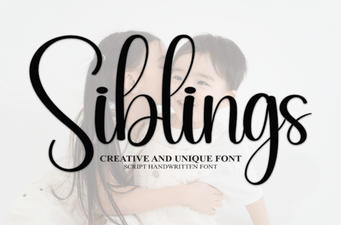 Sibling Font Pairings for Creative Projects
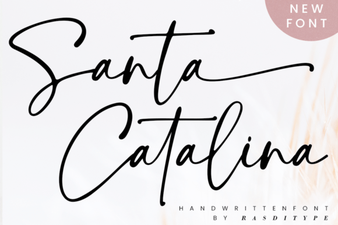 Santa Catalina Font Inspiration & Projects
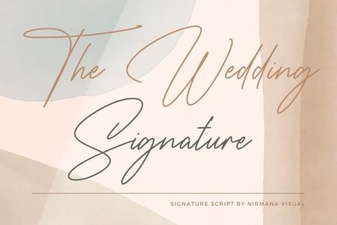 Craft Your Wedding Style with the Signature Font
 Fresh Fonts for Your Simple Planner Designs
 Finding Your Perfect Loving Font Pairing
 Juicy Come Font: Creative Typography Projects & Ideas